SyntaGraph™
The model of your plant that our engineers work on, with the evidence for every fact.
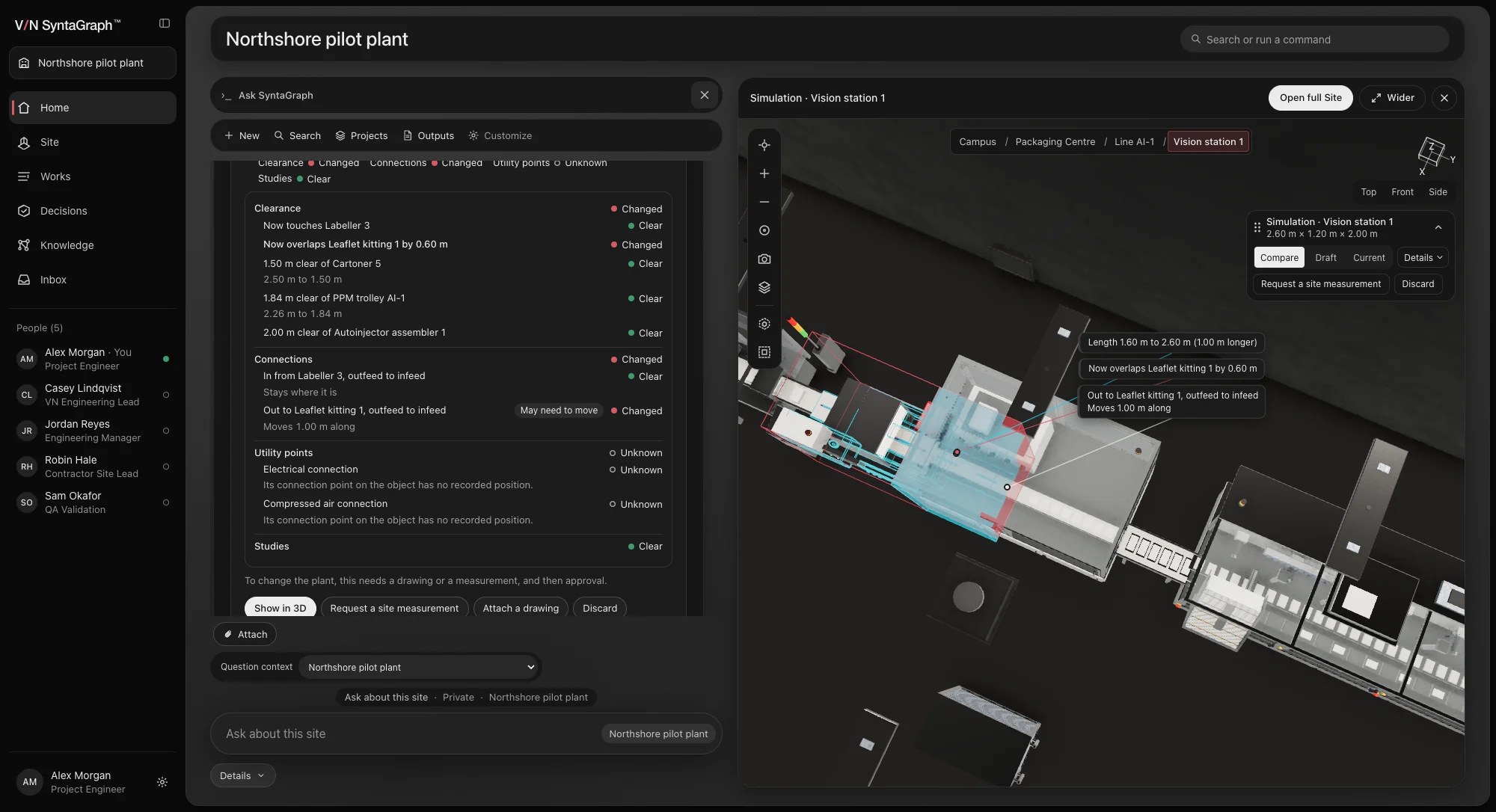
A change simulated in SyntaGraph™ on our synthetic reference plant.
The model.
SyntaGraph™ places drawings, scans, photographs, records and field observations on the room, asset, route or utility they describe. Where two sources disagree, the disagreement stays on the model as a discrepancy.
It works alongside the systems you already run. Our engineers and your site team use it to answer questions about the plant as it is built.
The product.
01 Ask
Ask the plant a question
Ask in plain words. The answer cites the drawing, scan or record behind each statement and says what is still open.
02 Site
See the plant as it was captured
Every building, room and line sits in one 3D model built from scans and drawings. Drawings, photos and documents for whatever you select are one tab away.
03 Equipment
Trace every object to its sources
Select any machine to see the drawing, scan, photo and record behind it, and where they disagree.
04 Simulations
Simulate a change in place
Describe a change, such as a machine that is a metre longer. SyntaGraph™ draws it in 3D and lists the clearances and connections it would affect. The records stay as they are.
05 Decisions
Test a change before it is approved
Put a proposed move beside the current layout in 3D. Connected equipment moves with it, and conflicts show before anyone signs.
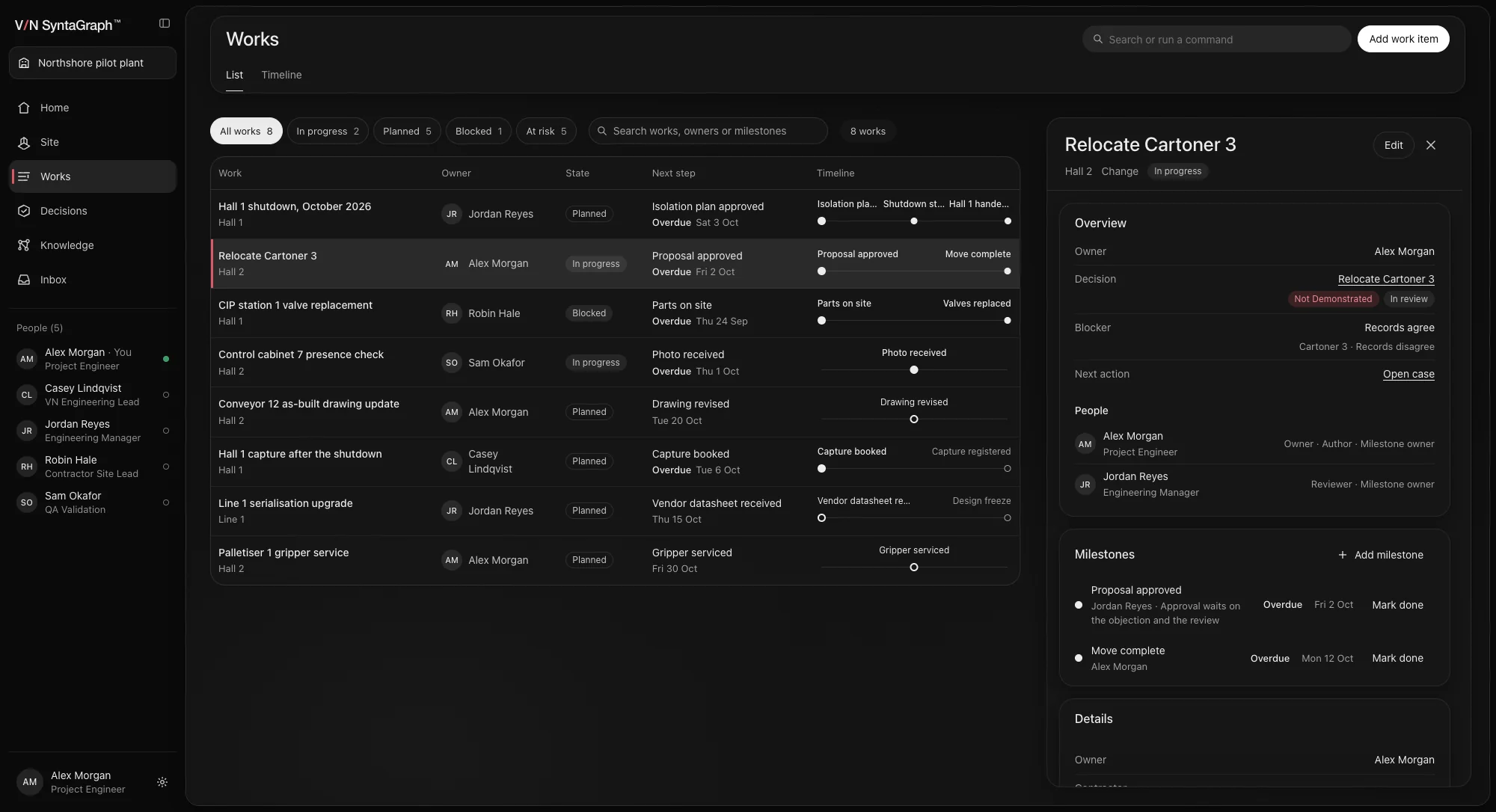
06 Works
Plan the work around a change
Every job has its owner, state, next step and milestones, linked to the objects it touches.
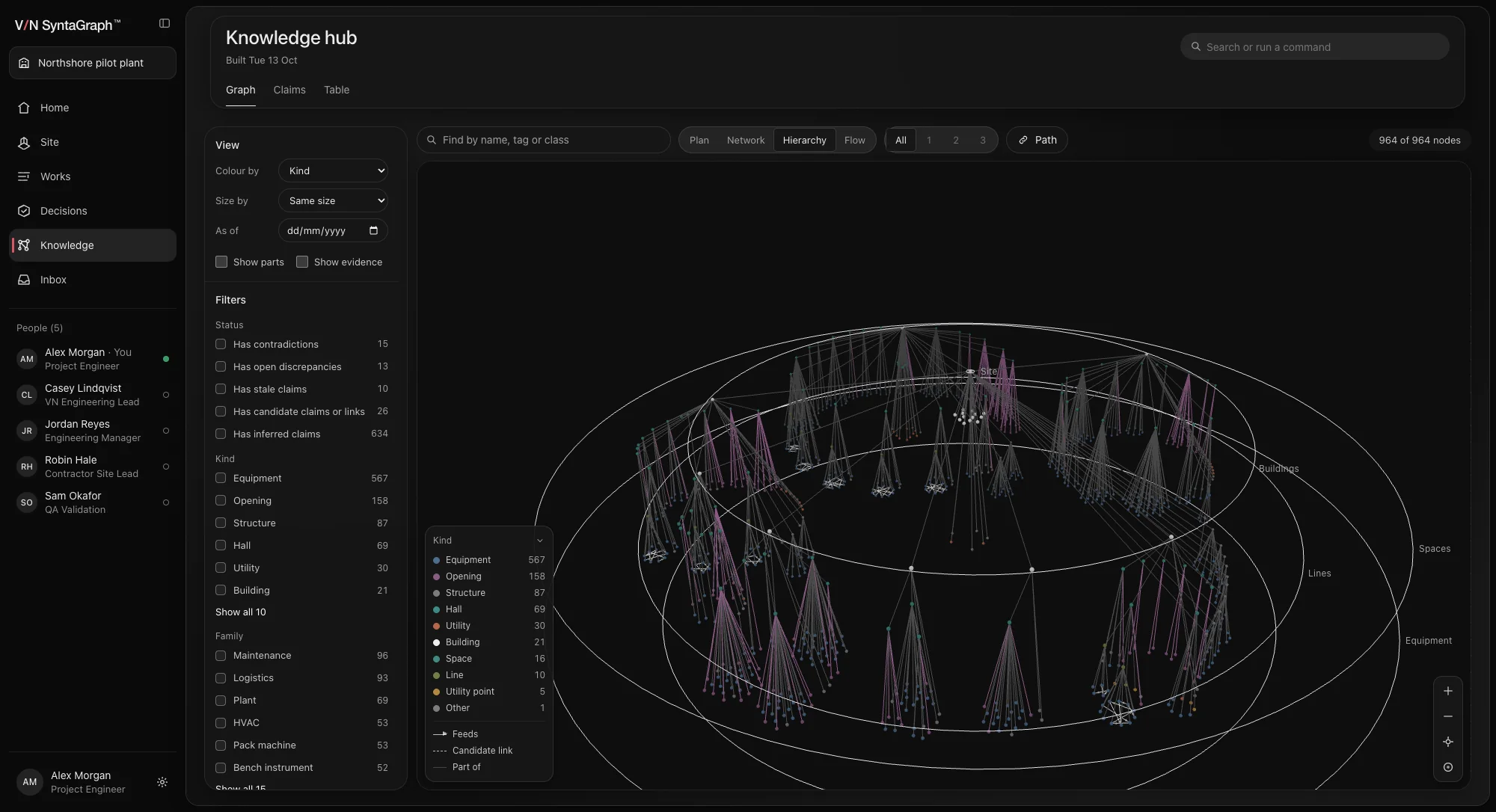
07 Knowledge
Explore what the plant knows
Buildings, rooms, lines and equipment sit in one graph with their claims and evidence. Filter it, trace a path between objects, or see it as it stood on an earlier date.
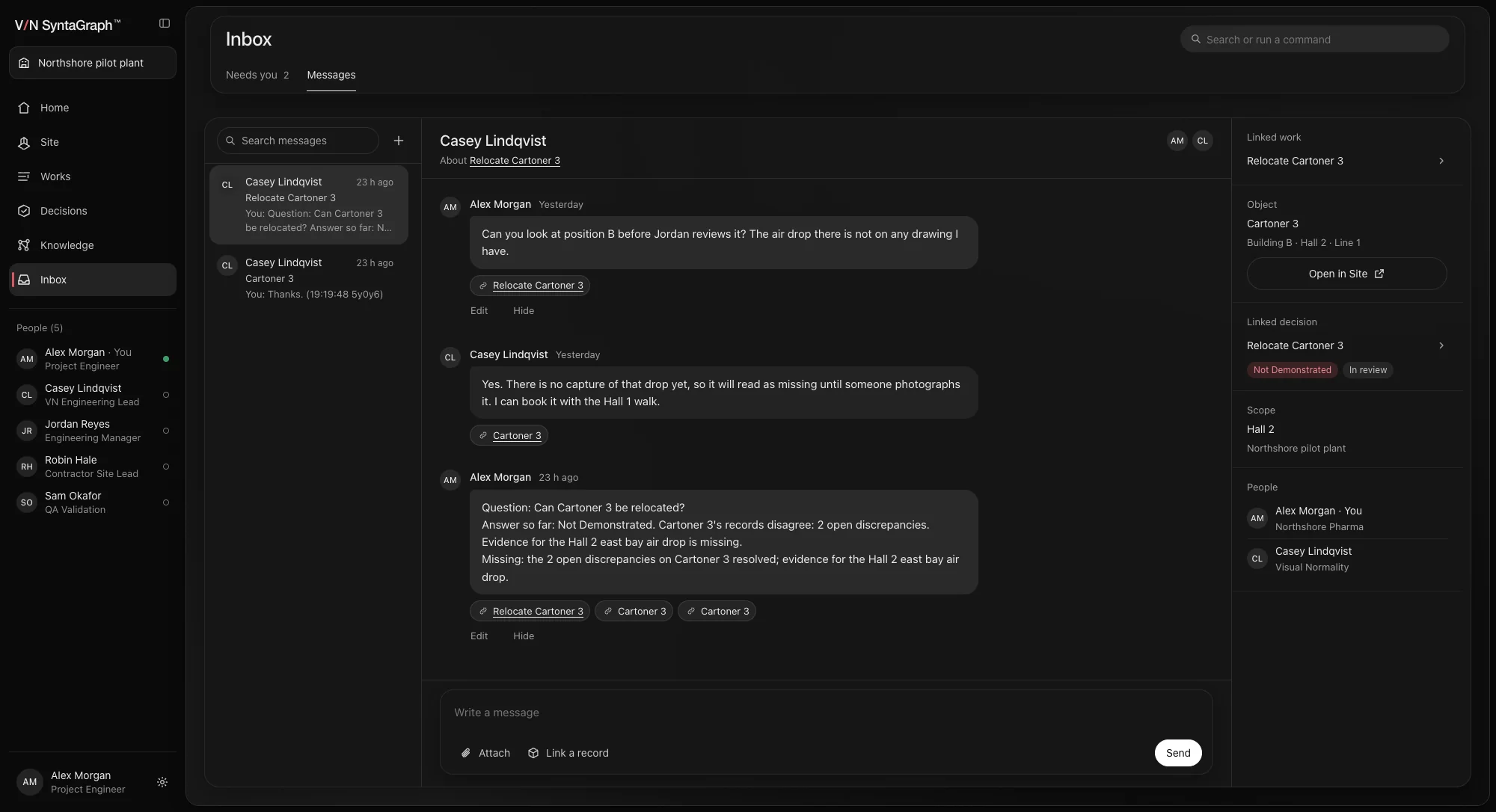
08 Inbox
Keep decisions on the record
Questions and answers stay linked to the object, the work and the decision they are about.
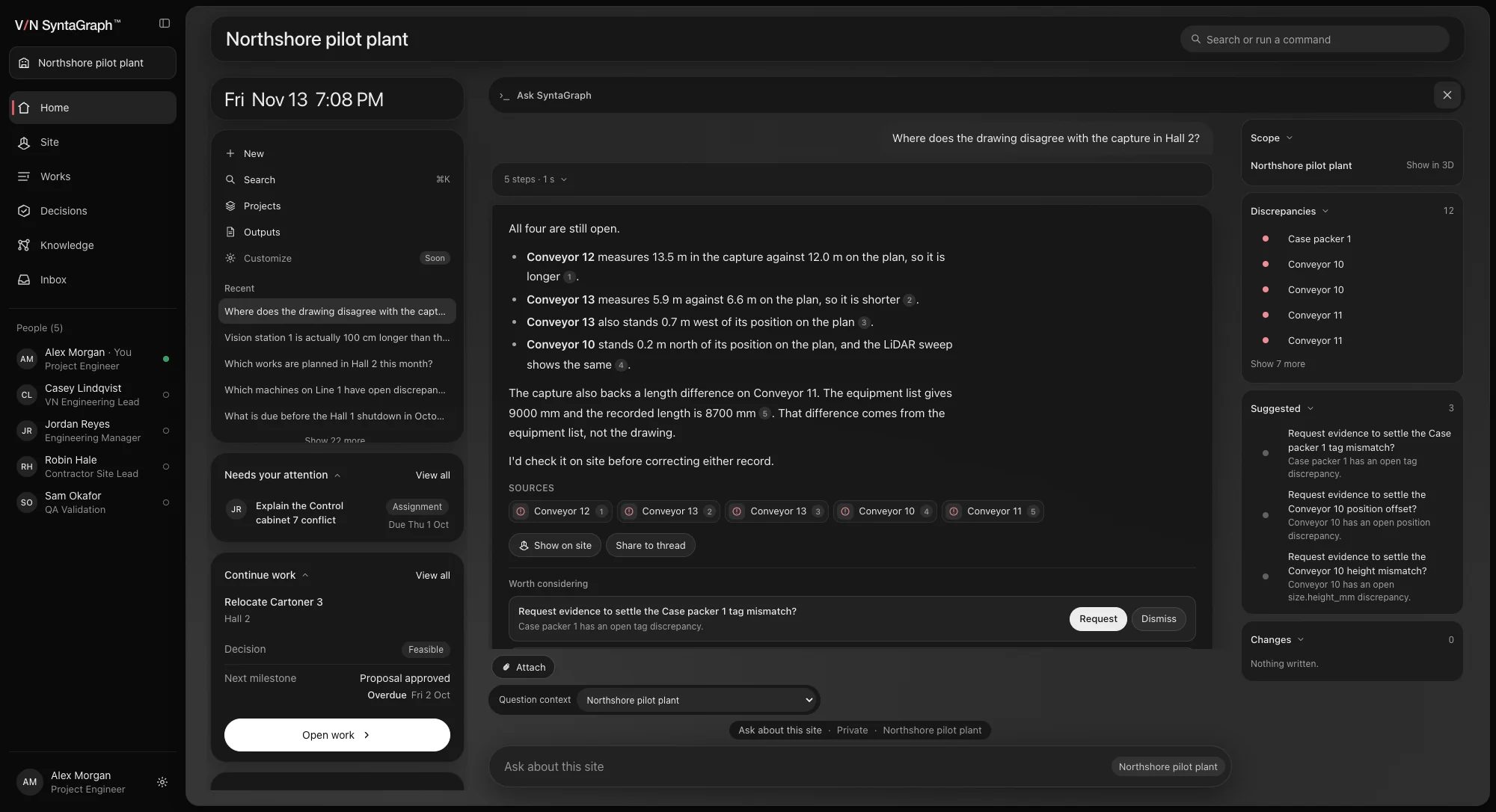

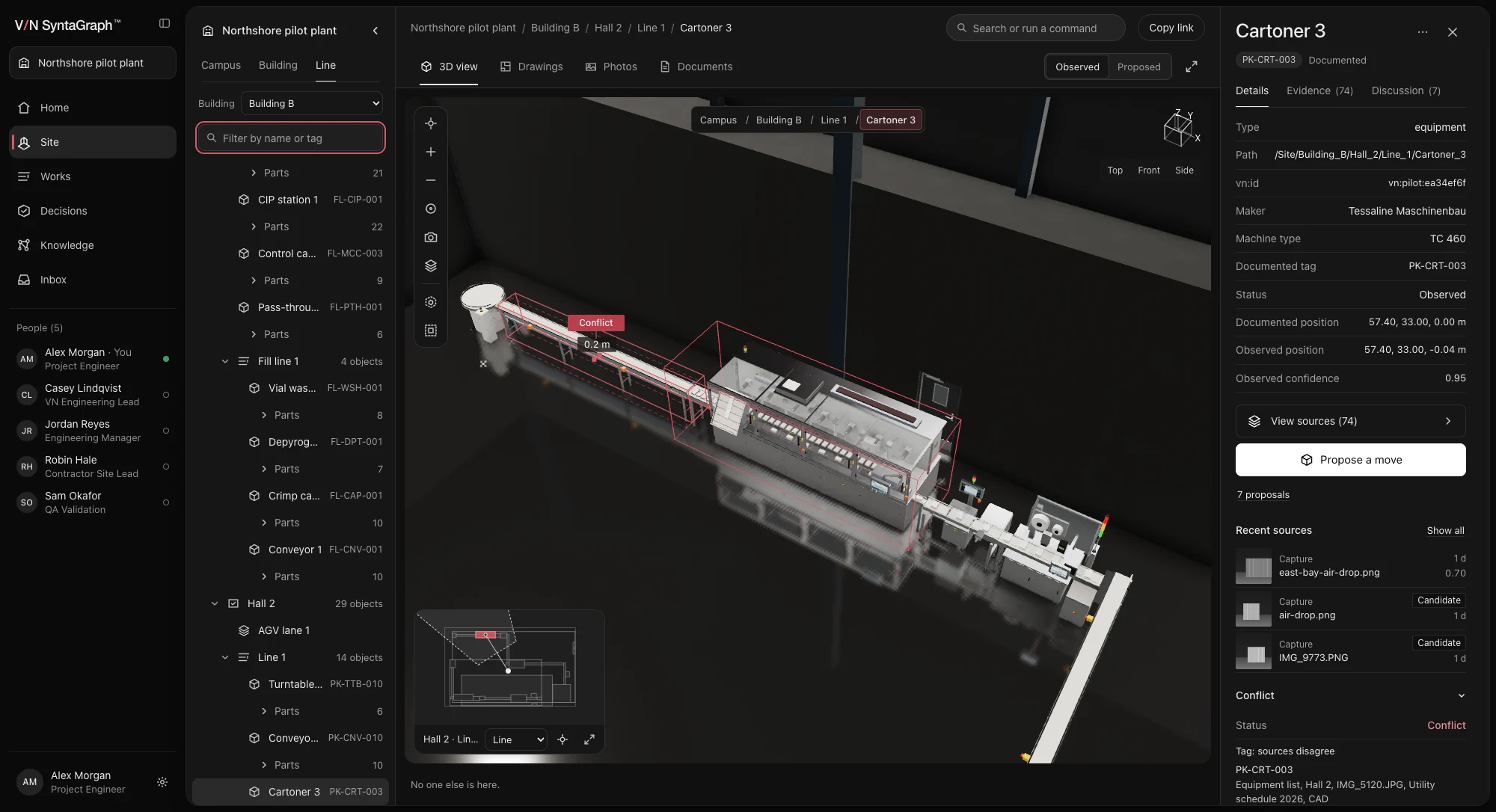
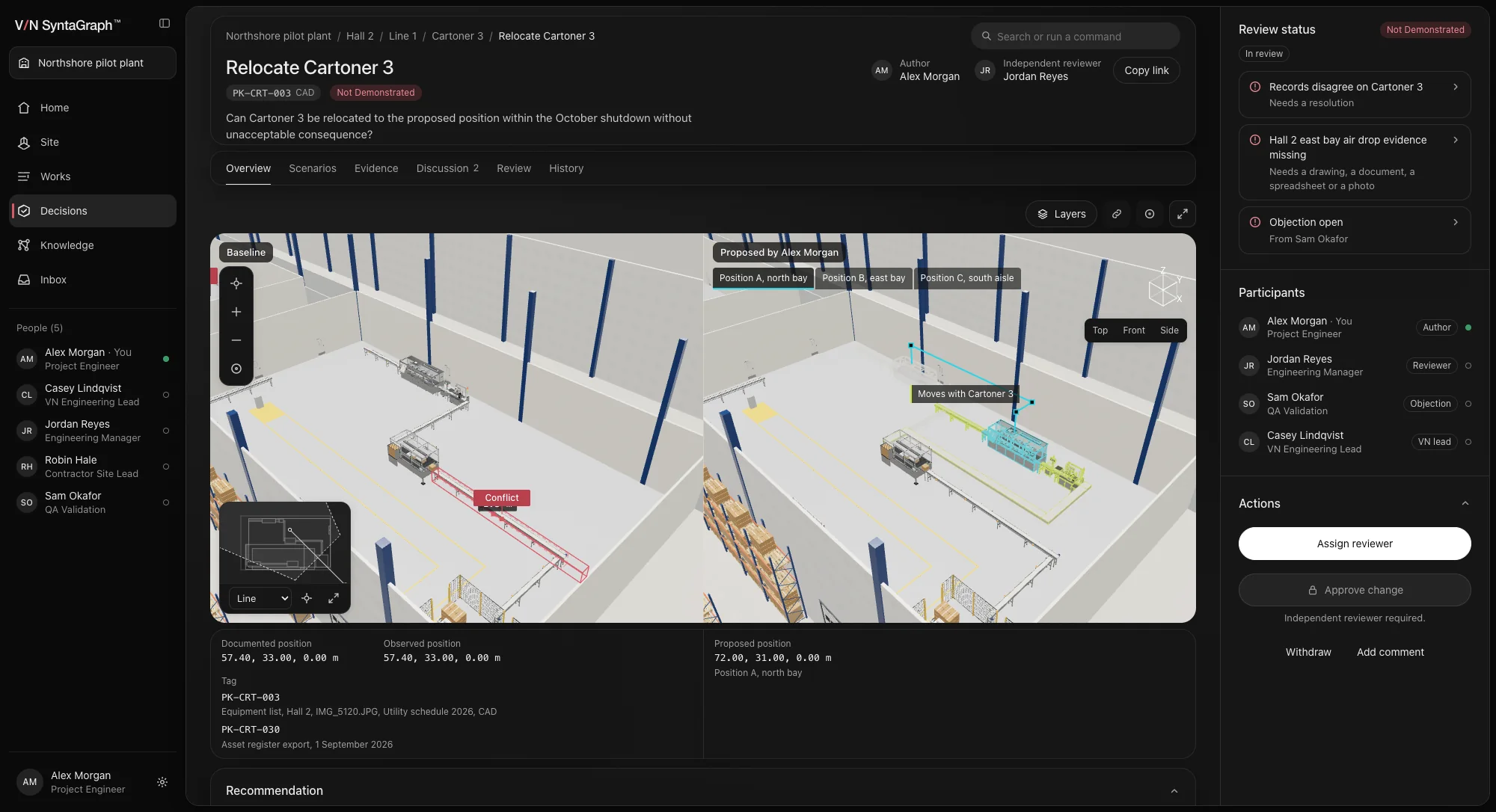
Reference plant, a question about Hall 2Synthetic reference plant
Evidence.
SyntaGraph™ keeps what was found on site separate from what the records say and from what someone proposes to change. A proposal never overwrites the observed plant.

Knowledge hub on the synthetic reference plant. Every object is linked to the objects, claims and sources it depends on.
- 01
Verified
Checked against its source by a named person. The source, the name and the date stay with the fact.
- 02
Inferred
Derived from other facts, and shown as inferred until someone verifies it against a source.
- 03
Not Demonstrated
The evidence does not support an answer. The result says so and names the observation or measurement that would close the gap.
Facility physics.
A new line can change airflow, heat loads and utility headroom in the rooms around it. SyntaGraph™ assembles each analysis case from the site model, with a source for every input, and we route the case to the method that fits it. That may be a transparent calculator, a learned model inside its validated domain, open CFD or your own licensed CAE.
Each result is classified screened, verified, measured or signed. A learned model's result is labelled predicted until a solver has verified it. What your product does inside the machine stays with your process engineer.
We add capabilities one domain at a time, starting with heating, ventilation and airflow, and each proposal states which methods are available for the study.
Start a study.
If you have a line or a building in the front end, or a question about the plant as it stands, send us the site and the question.